
November 2, 2026 · 7 min read
Resolve target: finding the right project before reading its code
Use GitHits resolve_target to identify a dependency's package, repository or documentation site before your agent reads its source.
An agent investigating how Pi saves sessions needs to find its source repository. The name “Pi agent” doesn’t give it a repository address. A project’s package name and documentation domain may differ too.
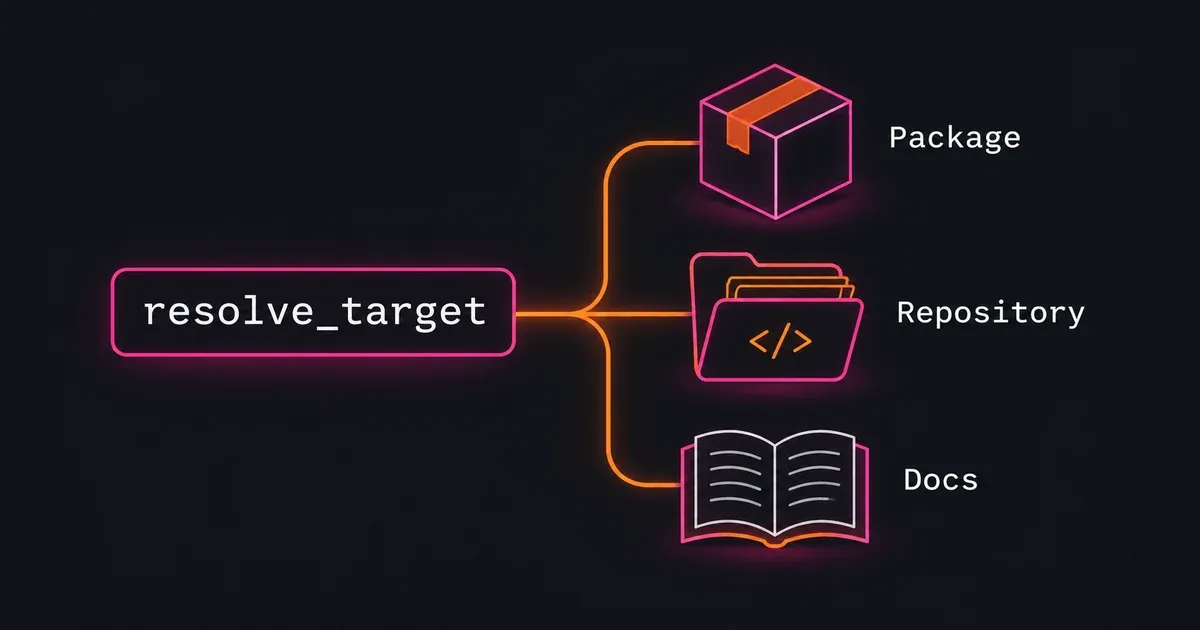
GitHits calls the package, repository or documentation site being queried a target. Our tools accept identifiers such as github:earendil-works/pi for a repository or pypi:pillow for a package.
The resolve_target tool finds those identifiers from a project name. Looking up “Pi agent” returns its repository and related packages. The agent can then pass the repository identifier to search to find the session code.
Resolving Pi
This lookup supplies the project name and a short description of its purpose:
npx githits@latest resolve "pi agent" --query "coding agent CLI" --limit 3
In a live lookup on November 2, 2026, the result identified github:earendil-works/pi. The github: prefix identifies the host. The rest identifies the repository’s owner and name.
GitHits assigns each match a confidence label and flags results where the intended project remains ambiguous. This lookup returned a high-confidence match with no ambiguity. Related packages included npm:@earendil-works/pi-coding-agent, the agent core, terminal UI and LLM API. The npm: prefix identifies the package registry.
Through MCP, the same request is a resolve_target call with these arguments:
{
  "name": "pi agent",
  "query": "coding agent CLI",
  "limit": 3
}
name determines which possible matches are retrieved. query helps rank them using the supplied task context.
Using the package ecosystem
In an existing application, the dependency manifest and lockfile often give the agent a package name and exact version. The agent can use those details to query the dependency directly. If it needs to look up the name, it can filter package matches by registry.
For example, this MCP request asks for Pillow with a preference for a PyPI package:
{
  "name": "Pillow",
  "registries": ["pypi"],
  "preferred_kind": "package"
}
This returned pypi:pillow as the exact package match. The pypi: prefix identifies the Python package registry. The result also included the repository github:python-pillow/pillow and documentation site site:pillow.readthedocs.io. GitHits uses site: for hosted documentation.
registries filters package matches. Repositories and documentation sites remain eligible. preferred_kind expresses a preference for a package, repository or documentation site. The optional intent_hints parameter supplies additional context for ranking the matches.
If the agent already has a complete target such as npm:express, it can pass it directly to search, read or another tool. resolve_target rejects complete targets.
Package, repository or documentation
Package and repository targets can lead to the same source code. The agent chooses a starting point based on what it knows about the project:
| Starting point | Example | What the agent can inspect |
|---|---|---|
| Package | pypi:pillow | The package’s source code and related documentation |
| Repository | github:earendil-works/pi | Source code and documentation in the repository |
| Documentation site | site:pillow.readthedocs.io | Pages on the hosted documentation site |
For an installed dependency, the lockfile often provides the package name and exact version. The agent can use that package target to search, list and read its source code. It doesn’t need to find the repository address first.
For example, listing src through pypi:pillow returned files from Pillow’s GitHub repository. A subsequent read call using pypi:pillow@13.0.0 opened src/_imaging.c. Both calls reported repository revision 293218ad as their source.
An agent can also inspect any public repository on our supported hosts: GitHub, GitLab, Codeberg and Launchpad. No published package is required. GitHits indexes repositories on demand, so the agent can investigate an application, developer tool or library by its repository address.
Source searches through a package target cover that package’s directory. Searches through a repository target cover the whole repository. Reuse each returned file path with its original target.
The agent can also search a package’s documentation with source: "docs". For a hosted documentation result, it can pass the returned page address to read. A site: target lets it browse that site’s pages directly with list. The documentation guide covers both routes.
Handling ambiguous results
The shorter name pi also matches unrelated software. In a separate lookup, it returned npm:pi, a package about the number pi, and maven:software.amazon.awssdk:pi, an AWS SDK module. Both had medium confidence. In this case, the resolve_target tool asked the agent to use a more specific name, change the registry filters or choose one of the returned projects.
Using the fuller name pi agent retrieved the coding-agent project shown above. Adding a query can help rank retrieved matches. If the intended project is missing, the agent needs to change the name or filters.
Medium- and low-confidence results require a narrower request or an explicit choice. An ambiguous result requires the agent to refine the lookup or ask the user to choose. These rules also apply to the first result. With no matches, the agent should correct the name or adjust the filters.
GitHits also checks whether malicious-package advisories affect a package’s latest version. The result reports this as its malicious-content status. clear means no active malicious-package advisory affects that version. Other vulnerabilities may still exist. not_applicable is used for repository and documentation targets.
The agent can use a match directly when all three conditions hold:
- Its confidence is
EXACTorHIGH. - The result is unambiguous.
- Its malicious-content status is
clearornot_applicable.
Other statuses require review before proceeding. The target resolution guide documents these checks and the warnings returned for affected or uncertain packages.
Software factories can use JSON output to select targets programmatically. The selection logic needs to check confidence, ambiguity and malicious-content status before using the result’s best field. Use pkg_vulns to inspect vulnerabilities in the release the application uses.
Continue into the source
With the Pi repository identified, the agent can search for session persistence:
{
  "target": "github:earendil-works/pi",
  "query": "coding agent session persistence",
  "source": "code",
  "limit": 2
}
The live search returned locations in packages/coding-agent/src/core/agent-session.ts and packages/coding-agent/src/core/session-manager.ts. Both came from revision c9f4c7b9. The result also supplied a read call containing the target, path and line range to inspect next.
The agent can use that read call to inspect the implementation and follow the calls involved in saving a session. Reusing the returned target, revision and path keeps subsequent reads on the same revision.
Selecting the version
An unversioned package target selects the latest package version. An unversioned repository target selects its default branch. For debugging or maintenance, the agent should read the installed dependency version from the local project and select that version explicitly. Repository targets accept a branch, tag or commit. Use a commit to preserve a specific revision.
GitHits reports the source revision it serves. If it cannot confirm that the revision matches the requested package version, it includes a notice beside that revision. The agent should check that notice before relying on the source to explain a particular release.
Hosted documentation may describe a different release. The agent needs to check which version the page covers before using it to explain the installed package.
With GitHits connected, you can try the Pi investigation by asking your agent:
Use GitHits to find the Pi coding agent project and inspect how it saves sessions. If the name is ambiguous, narrow the lookup before reading the source.
The target resolution guide documents the CLI flags, MCP parameters and response fields.
