
November 5, 2026 · 8 min read
GitHits vs Exa: Comparing Tools for OSS Coding Workflows
Compare GitHits's unified interface for OSS code, documentation, and package data with Exa's web search and research for coding agents.
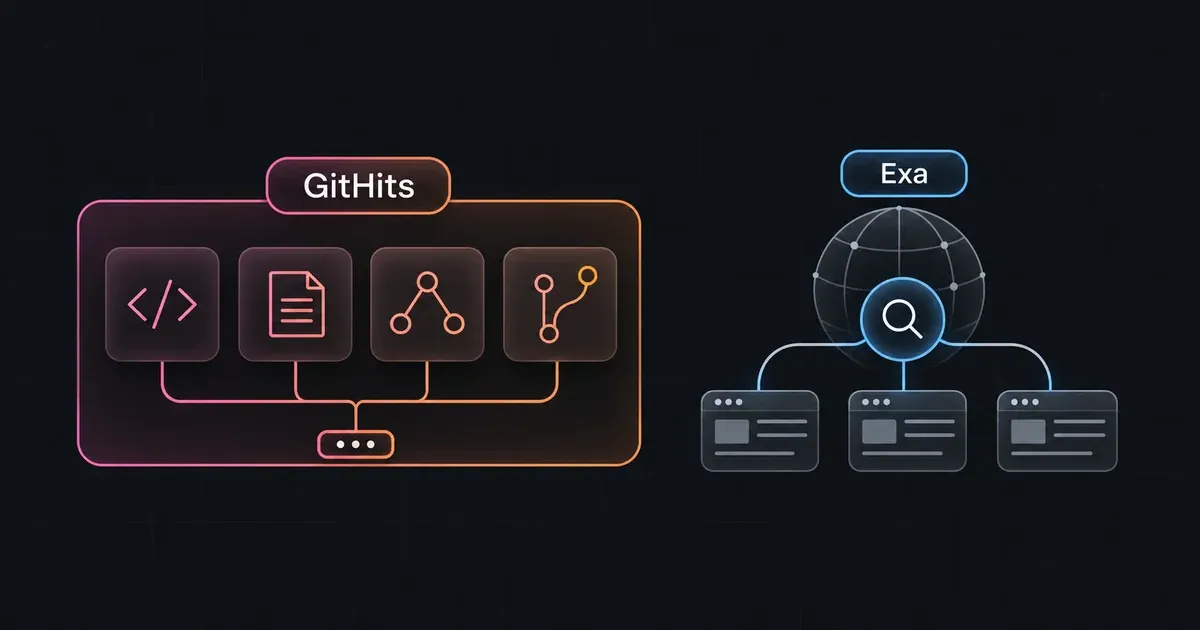
An agent working with a dependency may need its documentation, the implementation of a function, the packages it depends on, and the changes in a proposed upgrade. GitHits brings those operations together in one interface for working with open source.
GitHits maintains a version-aware index of public OSS code, symbols, documentation, and package data. Agents can find implementation examples, navigate source, trace dependencies, check advisories, and compare releases through the same service.
Exa provides broad web search and research, including searches for repositories, documentation, and implementation guidance. It can find useful information about a dependency, but most source-navigation and package-analysis operations require tools beyond its Search and Contents APIs.
Both provide MCP integrations and HTTP APIs. GitHits also offers a CLI. Its REST API includes all MCP tools and adds release-specific package inspection, advisory lookup, and project dependency analysis. See the Exa MCP guide and GitHits API overview.
Tools and capabilities
GitHits returns source locations, dependency relationships, advisory assessments, and release comparisons through dedicated operations. Exa’s /search finds relevant web pages, and /contents retrieves their text or highlights. Searching for an advisory, for example, leaves the agent to determine whether its affected version range applies to the installed package.
The GitHits tool names below are shared with MCP; every operation is also available through REST. Endpoint paths identify additional REST capabilities.
| Task | GitHits | Exa |
|---|---|---|
| Discover libraries by purpose | get_example generates implementation examples from a task description, with references to OSS projects using relevant libraries | /search finds library candidates from a description |
| Resolve a named project | resolve_target returns package, repository, and documentation targets | Web search; no native package-target resolver |
| Scope source operations to a version | search, grep, list, and read accept a package version or repository ref | No native package-version or repository-ref scope |
| Search documentation | search finds documentation sections within selected targets | /search finds documentation pages and relevant excerpts |
| Navigate code and symbols | search finds indexed code and symbol locations | No native symbol navigation |
| Find usages and patterns in source | grep performs target-scoped literal or regex searches with path filters | No native repository-wide grep |
| Browse source and documentation structure | list returns indexed files, directories, and documentation paths | No native repository file or documentation inventory |
| Read selected source or documentation | read selects a file, line range, symbol, or documentation heading | /contents extracts URL content; no native source-symbol or line-range selection |
| Compare source versions | code_diff compares explicit package versions or repository refs | No native source-diff operation |
| Inspect package metadata | pkg_info returns a latest-release overview; the package REST endpoint supports release selection | Web retrieval; no dedicated package-metadata API |
| Trace dependencies | pkg_deps returns version-specific dependency relationships and resolved versions | No native dependency-graph operation |
| Check package vulnerabilities | pkg_vulns assesses advisories for a selected version, with optional transitive analysis | No native package-version vulnerability assessment |
| Look up an advisory | GET /v1/vulnerabilities/{id} returns structured advisory and affected-package evidence | Web retrieval of advisory pages |
| Read release history | pkg_changelog retrieves release information for a package and version range | Web retrieval of changelogs and release pages |
| Review an upgrade | pkg_upgrade_review compares dependency changes, security differences, and release notes between versions | No dedicated package-upgrade operation |
| Audit project dependencies | Experimental REST API: POST /v1/experimental/lockfile-jobs, with kind=audit | No native manifest or lockfile audit |
| Generate an SBOM | Experimental REST API: POST /v1/experimental/sbom | No native SBOM generation |
| Produce a dependency license report | Experimental REST API: POST /v1/experimental/licenses | No native dependency-inventory license report |
The GitHits operations are documented in code navigation, package inspection, lockfile analysis, and the API specification. Exa describes its coding workflows in Code & Docs and URL retrieval in the Contents guide.
Project audits, SBOM generation, and dependency license reports are additional REST API capabilities currently marked experimental. The REST API is available for evaluation, and its public v1 contract is not yet finalized.
Discovery and source inspection
Both products can help when the agent doesn’t yet know which project to inspect. Exa can search for “open source Rust libraries for vector similarity search” and return library candidates. GitHits’s get_example accepts a task description and generates an implementation example with references to the OSS projects behind it.
The results serve different purposes. Exa helps build a list of candidates. GitHits shows an implementation approach and the projects that informed it. Its separate search tool works within known packages, repositories, or documentation sites.
Once the project is known, an agent can use GitHits to locate a symbol, read its definition, grep for usages, and inspect nearby code. These operations query GitHits’s own source index and return locations the agent can follow without cloning the repository. Documentation and package inspection use the same package or repository identity.
Exa can also retrieve individual source files from URLs without a checkout. For repository-wide file browsing, symbol navigation, or a source diff, the agent needs additional tools, such as a local checkout or a code-analysis service.
What version selection means
When an agent investigates a dependency, it needs source and documentation that match the version the application uses.
With GitHits, the agent can select npm:express@4.21.2 and use the returned source revision for follow-up reads. Responses identify the revision served and flag cases where GitHits cannot confirm that it matches the package version.
Exa accepts version terms in a search query and can retrieve a commit-specific URL. It does not provide a package-version or repository-ref scope that carries through source navigation. The agent must find the corresponding sources and check that each applies to the installed release.
Hosted documentation can change independently of a package release. To investigate an older release, the agent can read repository documentation at the selected revision. See package source correspondence.
Package analysis and upgrades
Consider an Express upgrade from 4.21.2 to 5.1.0. With GitHits, an agent can inspect the installed release, request a code_diff against the proposed release, and use pkg_upgrade_review to compare dependency and security changes.
Exa can find the migration guide, release notes, advisories, and relevant source pages. It does not natively compute the source diff, resolve the dependency graph, or assess advisories against the selected package versions. The agent must perform that work itself or call other tools.
For example, GitHits’s pkg_deps returns resolved dependency versions and their relationships. The agent can inspect that graph, check a package with pkg_vulns, and return to its source without building a separate retrieval and dependency-analysis pipeline. The same interface supports the investigation from the installed release through the proposed upgrade.
GitHits’s vulnerability results distinguish affected, non-affecting, and unknown assessments. Its transitive analysis checks the resolved package graph. To check versions recorded in an application’s lockfile, use the separate lockfile audit and inspect its coverage information alongside the findings. See package inspection and lockfile analysis.
Delegated research and examples
An agent can also delegate a question instead of choosing each search and read itself. GitHits provides research and get_example through MCP, CLI, and REST. Exa provides Exa Agent for broader web research.
| Task | GitHits | Exa |
|---|---|---|
| Research a question | research investigates public OSS projects and returns source-cited answers | /agent/runs performs broader web research and can return structured, cited results |
| Generate implementation guidance | get_example generates examples informed by implementations across OSS projects | Exa Agent can research and synthesize implementation guidance from web sources |
GitHits’s Research focuses on how packages and repositories work. Its Example tool draws on projects across open source, but generated examples are not version-pinned. Their APIs need checking against the application’s dependencies.
Exa Agent performs the searches and page reads needed to assemble a structured answer. The calling agent supplies the question and desired output instead of managing each retrieval call.
Delegating research changes who performs the searches and synthesis. It does not add native repository navigation, dependency resolution, or package-version advisory assessment to Exa’s API. GitHits’s research operates alongside its dedicated source and package tools, so an agent can follow an answer into the underlying implementation or package data.
Summary
GitHits provides one unified interface for working with open source: implementation examples, source code, documentation, package metadata, dependency graphs, vulnerabilities, and upgrade analysis. An agent can move from a coding question to the relevant implementation, inspect the release the application uses, and compare it with a proposed upgrade through the same tools and API.
Exa serves a broader purpose. It finds information across the web and can research questions that extend beyond a particular package or repository. That makes it useful for library discovery and wider technical research. It can also retrieve material for dependency investigations, while leaving most source-navigation and package-analysis work to the agent or other services.
For teams equipping coding agents, the choice depends on the work being delegated. Broad web research calls for search and synthesis. Using, debugging, and maintaining OSS dependencies also requires precise source reads, version comparisons, and package analysis. GitHits brings those operations together, reducing the separate tools and data reconciliation needed to support that workflow.