
October 5, 2026 · 4 min read
How to connect GitHits MCP to CodeRabbit
Connect GitHits MCP to CodeRabbit so reviews can draw on open-source code and package data.
When a pull request touches a dependency, CodeRabbit can check how that library actually behaves, what changed between versions, and how other projects use the same API.
Before you start
You need a GitHits account and admin access to your CodeRabbit organization.
Part A: Create a GitHits token
1. Open Account settings
In the GitHits dashboard, click your profile in the top-right corner, then click Account settings.
2. Create a personal token
Click Personal tokens and create a new token:
- Name:
coderabbit - Expires: Pick an expiry. It can’t be changed later.
Click Create token.
3. Copy the token
Copy the token and store it somewhere safe. You can’t view it again after you close the dialog.
Part B: Connect GitHits MCP in CodeRabbit
4. Add a custom connection
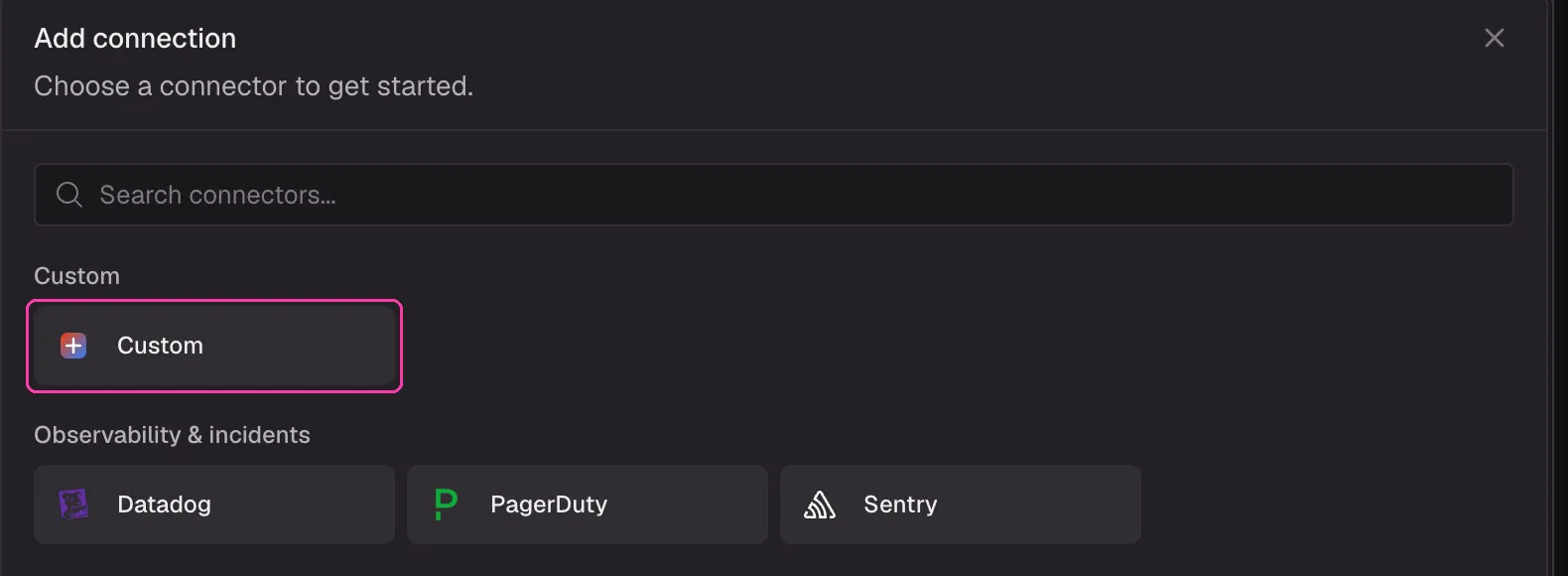
In CodeRabbit, click Settings, then Connections, then Add connection. Under Custom, choose Custom.
5. Configure the MCP connection
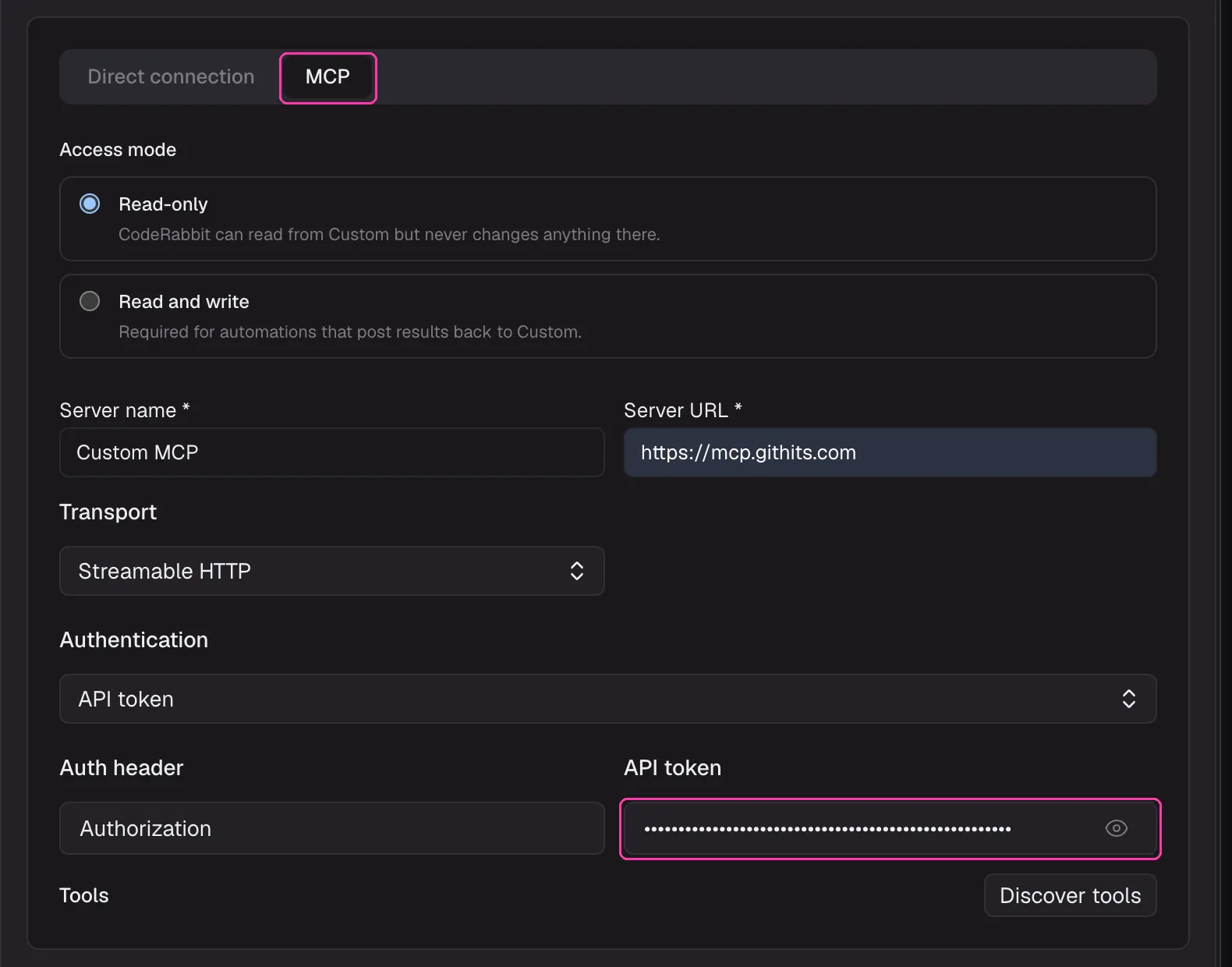
Select the MCP tab, not Direct connection. Then fill in the form:
| Field | Value |
|---|---|
| Access mode | Read-only |
| Server name | GitHits |
| Server URL | https://mcp.githits.com |
| Transport | Streamable HTTP |
| Authentication | API token |
| Auth header | Authorization |
| API token | Bearer YOUR_GITHITS_TOKEN |
In API token, type the word Bearer, a space, and then your token. Without the Bearer prefix and space, the connection fails.
Click Discover tools to check the connection, then click Save. Leave Add this to the Base Scope unchecked if your organization has no Base Scope yet. You will add GitHits to one in the next step.
6. Add GitHits to the Base Scope
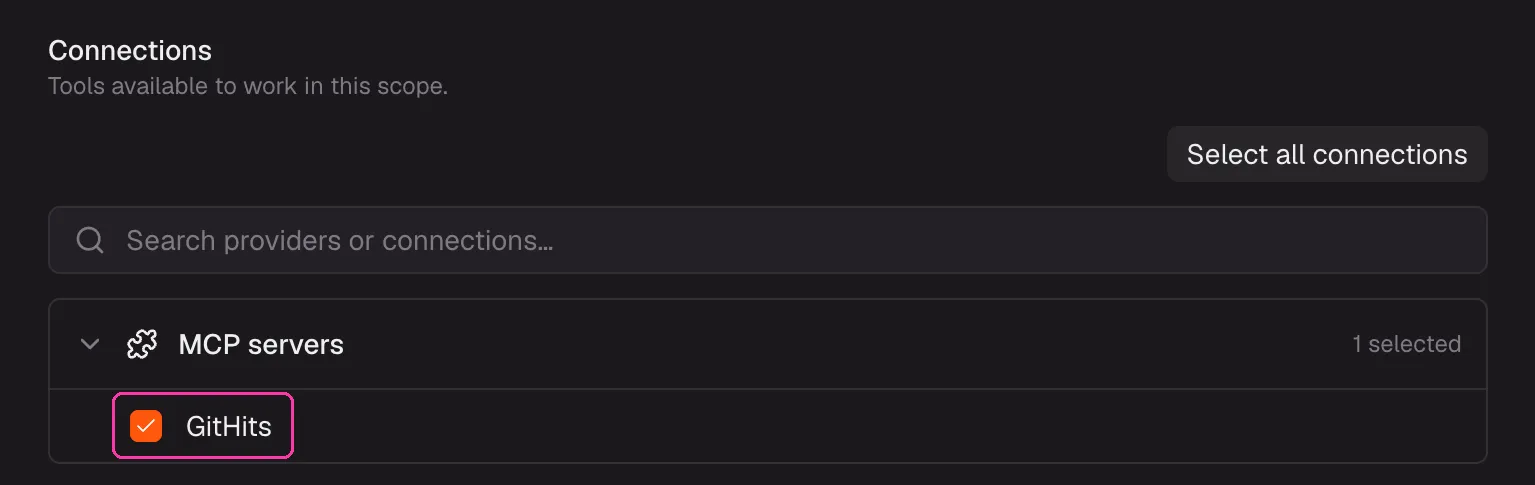
The Base Scope makes GitHits available to reviews by default.
Go to Settings, then Scopes, and click Set up Base Scope. Under Connections, check GitHits in MCP servers. Leave Environment set to Standard CodeRabbit environment and click Save Base Scope.
Troubleshooting
- Add this to the Base Scope shows an error. No Base Scope exists yet. Save the connection without it, then follow step 6.
- Discover tools fails. Check that the token starts with
Bearerand a space. Use the eye icon to reveal the field. - It worked before and stopped. The token may have expired. Create a new one in GitHits and update the connection.
- GitHits is not used on a public repo. CodeRabbit’s default MCP setting,
auto, turns MCP off for public repositories. See the.coderabbit.yamlexample below.
Examples
CodeRabbit calls connected MCP tools on its own during reviews and in PR chat. Tools it used during a review are listed under “Additional context used” in the walkthrough. You can also ask for GitHits context directly by mentioning @coderabbitai in a PR comment.
Check how a library API behaves
@coderabbitai Use GitHits to check how pRetry in p-retry handles AbortError in the version this PR installs. Does our error handling match the source?
Review a dependency upgrade
@coderabbitai Use GitHits to review the upgrade from express 4.21.2 to 5.1.0. Summarize breaking changes from the changelog and any known vulnerabilities.
Vet a new dependency
@coderabbitai This PR adds drizzle-orm. Use GitHits to check its license, runtime dependencies, and known vulnerabilities.
Compare against how other projects do it
@coderabbitai Use GitHits to find how other open-source projects configure Hono middleware for auth, and tell me if our approach differs.
Ask for GitHits checks on every review
Path instructions in .coderabbit.yaml tell CodeRabbit what to focus on for matching files. Point them at your dependency manifests:
reviews:
  path_instructions:
    - path: "**/package.json"
      instructions: |
        When dependencies are added or upgraded, use GitHits to check the
        changelog between versions, known vulnerabilities, and license.

knowledge_base:
  mcp:
    usage: enabled
usage: enabled turns on MCP for all repositories, including public ones.
