[Canonical HTML page](https://githits.com/blog/read-source-code-and-documentation/)
[Back to blog](/blog.md)
November 4, 2026 · 6 min read
# Read: inspecting source code and documentation
Use GitHits read to inspect a function, follow its helpers and read documentation at the same revision. See what Pi's session writes return and when.
An agent using Pi’s session manager needs to know whether a returned message ID means the message was written to disk.
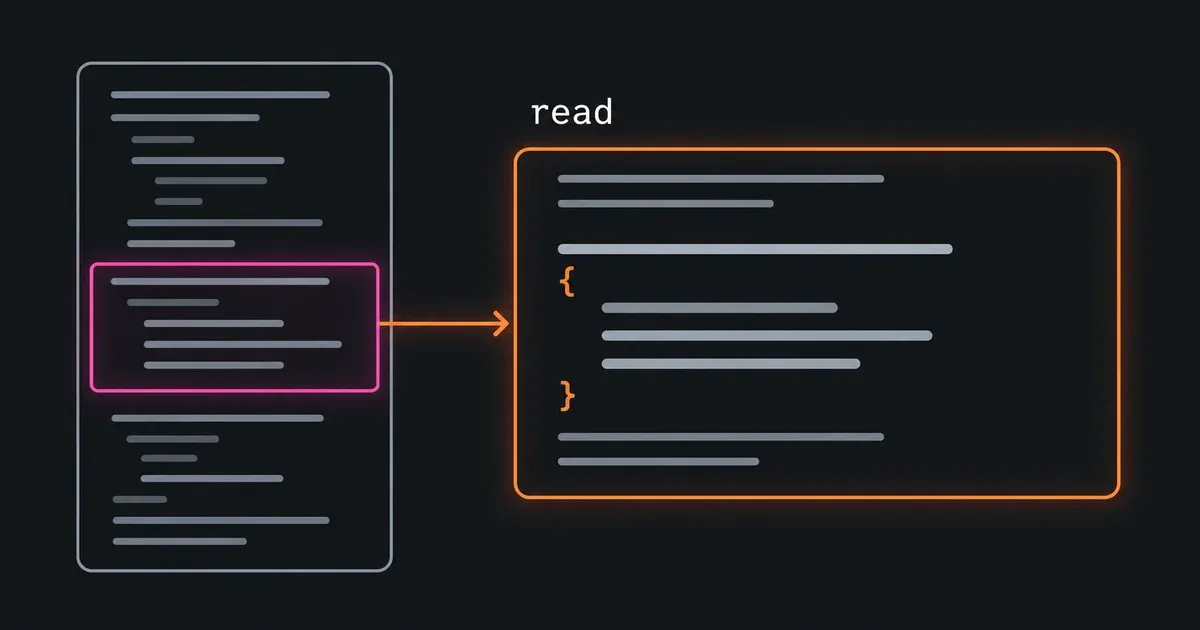
In the [list post](/blog/list-browse-source-and-documentation.md), we found Pi’s session-manager source, tests and documentation. The earlier [grep post](/blog/grep-find-exact-matches-in-source.md) located `appendMessage` in that source. Our `read` tool retrieves its definition directly. The same tool can read a file range, repository documentation or a section of a hosted documentation page.
[GitHits read explained](https://www.youtube-nocookie.com/embed/dkwKGUi61i0)
## Read a method by name
Functions, methods and classes are named code elements, also called **symbols**. When the agent knows a symbol’s name, it can pass that name to `read` as a **selector**. It doesn’t need to search for the name again.
```bash
githits read github:earendil-works/pi@9c9ce854 packages/coding-agent/src/core/session-manager.ts --selector appendMessage
```
The repository identifier is the **target**. Its `@9c9ce854` suffix selects the commit used in the earlier posts. The path identifies the file where `appendMessage` is declared.
An agent connected through MCP can make the same request:
```json
{
"target": "github:earendil-works/pi@9c9ce854",
"path": "packages/coding-agent/src/core/session-manager.ts",
"selector": "appendMessage"
}
```
This returned lines 1215–1225 of a 2,029-line file. The response includes the path, returned line range and source revision, followed by the code.
[`appendMessage`](https://github.com/earendil-works/pi/blob/9c9ce8547e5a88cbe834a53e9a6d83a789d08e47/packages/coding-agent/src/core/session-manager.ts#L1215-L1225) creates an entry with an ID, a parent ID, a timestamp and the message. It then calls `_appendEntry(entry)` and returns the ID. The write happens through that helper, so the agent needs its definition too.
## Follow the calls that decide the answer
The agent can read `_appendEntry` from the same file:
```bash
githits read github:earendil-works/pi@9c9ce854 packages/coding-agent/src/core/session-manager.ts --selector _appendEntry
```
That method adds the entry to the in-memory session, then calls `_persist`. If `_persist` throws, `_appendEntry` removes the entry, restores the previous parent position and rethrows the error. The exception reaches `appendMessage` before it can return an ID.
Reading `_persist` shows when a write is attempted:
```bash
githits read github:earendil-works/pi@9c9ce854 packages/coding-agent/src/core/session-manager.ts --selector _persist
```
Its first condition returns immediately if persistence is disabled or there is no session-file path. For the first write, it also calls `_hasConversation`. Reading that helper shows it checks for a user or assistant message among the stored entries.
The [four methods at this commit](https://github.com/earendil-works/pi/blob/9c9ce8547e5a88cbe834a53e9a6d83a789d08e47/packages/coding-agent/src/core/session-manager.ts#L1167-L1225) explain what the caller can infer:
| Condition | What happens |
| -------------------------------------------------------------------- | ----------------------------------------------------------------------- |
| Persistence is disabled, or no file path is set | The entry stays in memory and `appendMessage` returns its ID |
| The first write is pending and there is no user or assistant message | Entries remain in memory until that condition is met |
| The first write can proceed | `_persist` creates the file and writes the accumulated entries |
| The initial write has completed | `_persist` appends the new entry to the file |
| `_persist` throws | `_appendEntry` removes the new in-memory entry and propagates the error |
A returned ID can therefore refer to an entry kept in memory. An agent integrating with this API needs to check how the session manager was configured before treating the ID as confirmation of a file write.
## Read nearby methods together
Symbol selection is useful when the agent knows a declaration name. Search and grep results also provide file paths and line numbers. If the required methods are close together, one range can include them all:
```bash
githits read github:earendil-works/pi@9c9ce854 packages/coding-agent/src/core/session-manager.ts --lines 1167-1225
```
This 59-line range covers `_hasConversation`, `_persist`, `_appendEntry` and `appendMessage`. An agent that already has those locations can read them together. After reading them individually, it can reuse the content it has.
Through MCP, the bounds are `start_line` and `end_line`. Both are inclusive:
```json
{
"target": "github:earendil-works/pi@9c9ce854",
"path": "packages/coding-agent/src/core/session-manager.ts",
"start_line": 1167,
"end_line": 1225
}
```
Choose the range around the question. A write inside a `try` block may require the following `catch` and `finally` blocks. A call inside a branch may require the condition above it. If the answer depends on another method, follow that declaration.
MCP text reads return up to 150 lines by default and up to 300 with explicit bounds. A larger request reports truncation and where to continue. The CLI can return a complete file for piping. Those limits and the selector behavior are documented in the [read reference](https://docs.githits.com/tools/code-navigation).
## Read documentation at the same revision
The same request shape works for documentation stored in the repository:
```bash
githits read github:earendil-works/pi@9c9ce854 packages/coding-agent/docs/session-format.md --lines 1-5
```
The [opening of Pi’s session-format guide](https://github.com/earendil-works/pi/blob/9c9ce8547e5a88cbe834a53e9a6d83a789d08e47/packages/coding-agent/docs/session-format.md#L1-L5) describes JSON Lines storage and the `id` and `parentId` fields that link entries into a tree. Keeping the same commit ties that description to the code we inspected.
Our `read` tool also opens hosted documentation pages found through `search` or `list`. A page URL opens the page, and a heading link selects a section. The [documentation guide](https://docs.githits.com/tools/documentation-access) shows the supported forms.
Pi’s session-format guide lives in its repository, so we can read the guide and implementation from the same commit. A hosted API reference may describe a newer release than the one you’re using. Its version selector or release label helps establish which implementation the page describes.
## Reading code with GitHits
Our `read` tool opens source files, named functions and classes, line ranges, and documentation pages or sections. It works with public repositories and the repository source behind packages, as well as hosted documentation.
In Pi, we started with `appendMessage` and followed the helpers that store an entry. Reading those methods showed why a returned ID can refer to a message held in memory and how a write error reaches the caller. We also read the session-format guide from the same commit to check how the entries are stored.
Agents already inspect local codebases this way: open a declaration, follow its calls and read the relevant branches. GitHits gives them that workflow for public dependency source and documentation too.
With GitHits connected, try asking your agent:
> Use GitHits read to inspect Pi’s appendMessage method and the helpers that store an entry. Explain when it returns an ID without writing a file and what happens if a write throws. Keep the code and documentation on the same commit.
[Product](/blog/tag/product.md) · [Agents](/blog/tag/agents.md) · [Code Navigation](/blog/tag/code-navigation.md)
Olli-Pekka Heinisuo — Co-founder, CTO
Keep exploring
* [The Solution](/the-solution.md)
* [Documentation](https://docs.githits.com/)
* [Changelog](https://docs.githits.com/changelog/overview)
Get started
## GitHits in one command
Install GitHits or refresh an existing setup with the same command.
`npx -y githits@latest init`
Or connect directly
* [Claude connector](https://claude.ai/directory/githits)
* [Cursor plugin](https://cursor.com/marketplace/githits)
* [Vercel connector](https://vercel.com/connect/githits)
* [Manus connector](https://manus.im/app#connectors/all/connector_8387945e-9687-4a71-86b4-8a220dbd5b6b)