[Canonical HTML page](https://githits.com/blog/diff-compare-source-versions/)
[Back to blog](/blog.md)
November 4, 2026 · 7 min read
# Diff: comparing source across versions
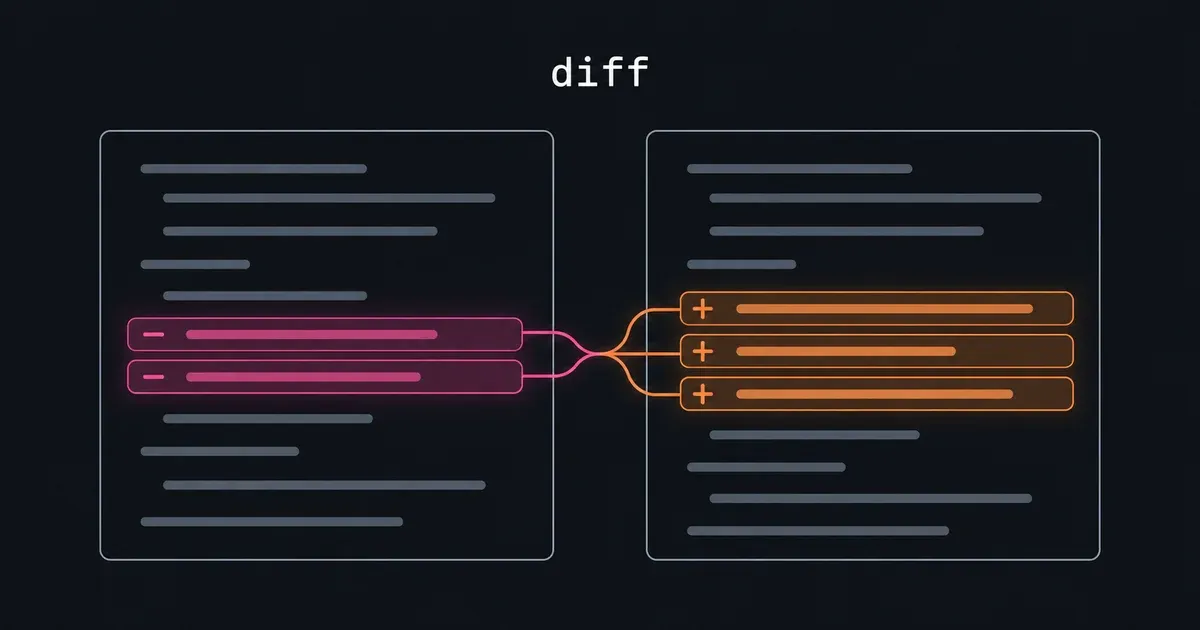
Get a source comparison in one tool turn with GitHits code\_diff. Compare versions without making your agent find, clone and prepare a repository.
If Pi hides a message from the model, can that message still reach the model through a branch summary?
Pi records edits that hide or replace earlier messages in the model’s input. It calls these **context edits**. The code that prepares a conversation applies them, but branch summaries have their own preparation code. We can compare two commits to see when that code started applying the edits too.
Our `code_diff` tool resolves both source revisions and returns the requested comparison in one tool turn. The agent supplies a package or repository, two versions or refs, and an optional path filter. GitHits handles source retrieval and comparison without a local clone. On our website, the tool is listed as **diff**. In the CLI, the command is `githits code diff`.
[GitHits code\_diff explained](https://www.youtube-nocookie.com/embed/AjU5xklgpMA)
## Get the diff in one tool turn
A tool turn is one request from the agent and the result it receives. With `code_diff`, that result includes the resolved commits and the requested file list, line counts or patch.
Starting from a package name, a clone-based workflow can take four or more tool turns before the agent has the diff:
1. Look up the package’s source repository.
2. Clone the repository and wait for the download.
3. Find the refs for the two versions and fetch any missing history.
4. Run `git diff` for the relevant paths.
When the agent handles these steps separately, each result requires another round of model processing before the next call. Cloning and fetching also add network transfer and local disk work. An existing checkout or a script can combine some of those steps. GitHits handles them behind one request, so the agent can go straight from the two versions to their source changes.
If the agent already knows the file it wants, it can request its patch immediately. The file-list and statistics views below are options for exploring a larger comparison. They aren’t prerequisites for getting a patch.
## Start with the changed files
The [read post](/blog/read-source-code-and-documentation.md) inspected Pi at commit `9c9ce854`. We’ll compare it with `c9f4c7b9`, the earlier commit used in the [resolve\_target post](/blog/resolve-target-find-the-right-project.md).
```bash
githits code diff github:earendil-works/pi c9f4c7b9..9c9ce854 --name-status -- 'packages/coding-agent/**'
```
The repository identifier is the **target**. The two commits select the source revisions to compare, from left to right. They go in separate arguments from the target. The path pattern after `--` limits the result to files under `packages/coding-agent/`.
An agent connected through MCP calls `code_diff` with the same inputs:
```json
{
"target": "github:earendil-works/pi",
"from": "c9f4c7b9",
"to": "9c9ce854",
"view": "name-status",
"path_glob": "packages/coding-agent/**"
}
```
This comparison reported 22 modified files. Three are relevant to the summary question. Paths below are relative to `packages/coding-agent/`:
| Changed file | What we’ll inspect |
| --------------------------------------------- | -------------------------------------------- |
| `src/core/compaction/branch-summarization.ts` | Preparation of messages for a branch summary |
| `src/core/session-manager.ts` | The helper that applies a context edit |
| `test/branch-summarization.test.ts` | The added hide-and-replace example |
The response also identifies the resolved commits. Branch names can move, so those commit IDs let the agent read the source used in the comparison.
## Open the patch for one file
The agent can request the summary implementation’s patch directly:
```bash
githits code diff github:earendil-works/pi c9f4c7b9..9c9ce854 --patch -- packages/coding-agent/src/core/compaction/branch-summarization.ts
```
For MCP, request the patch as JSON. The compact text response includes a short patch preview:
```json
{
"target": "github:earendil-works/pi",
"from": "c9f4c7b9",
"to": "9c9ce854",
"view": "patch",
"path_glob": "packages/coding-agent/src/core/compaction/branch-summarization.ts",
"format": "json"
}
```
This single response includes the resolved commits, the file’s 16 added and four removed lines, and the patch. Use `--stat` in the CLI or `"view": "stat"` through MCP when line counts are enough.
The patch adds a pass over the session entries. It stores each context edit by the ID of the message it changes. A later edit for the same message replaces the earlier one in that map.
The message preparation loop then passes the edit into `getMessageFromEntry`. This excerpt shows the changed call:
```diff
- const message = getMessageFromEntry(entry);
+ const message = getMessageFromEntry(entry, edits.get(entry.id));
```
Before the change, that function returned the original user or assistant message. After the change, it calls `projectContextEntry` when an edit exists. You can see the [updated conversion and preparation code](https://github.com/earendil-works/pi/blob/9c9ce8547e5a88cbe834a53e9a6d83a789d08e47/packages/coding-agent/src/core/compaction/branch-summarization.ts#L163-L236) at the commit we compared.
## Read the helper behind the change
The patch shows the new call. The [read tool](/blog/read-source-code-and-documentation.md) can retrieve the helper’s definition from the same revision:
```bash
githits read github:earendil-works/pi@9c9ce854 packages/coding-agent/src/core/session-manager.ts --selector projectContextEntry
```
[`projectContextEntry`](https://github.com/earendil-works/pi/blob/9c9ce8547e5a88cbe834a53e9a6d83a789d08e47/packages/coding-agent/src/core/session-manager.ts#L520-L541) returns an empty array when an edit has `replacement: null`. Otherwise, it applies the replacement content to the message. The summary preparation loop skips an empty result.
The diff for `session-manager.ts` shows that this helper already existed. The change exports it so the branch-summary code can reuse it.
The [added test](https://github.com/earendil-works/pi/blob/9c9ce8547e5a88cbe834a53e9a6d83a789d08e47/packages/coding-agent/test/branch-summarization.test.ts#L135-L183) gives a concrete example. It creates a failed assistant message and hides it with a context edit. It then creates another assistant message and replaces its text.
| Content in the test | Expected summary input |
| ------------------------------------------ | ---------------------- |
| User message: `Investigate login` | Included |
| Hidden assistant message: `FAILED_ATTEMPT` | Omitted |
| Original assistant text: `ORIGINAL_TEXT` | Omitted |
| Replacement text: `REPLACED_TEXT` | Included |
The code change answers our opening question for these messages. The earlier implementation could pass their original content into the summary input. The later implementation applies the edits first. The test checks the prepared input, so it doesn’t depend on what a model happens to write in a generated summary.
## Choose the view and scope
The four views support different parts of an investigation:
| View | Result |
| ------------- | ------------------------------------------------------------------- |
| `name-only` | Changed file paths |
| `name-status` | Changed file paths with statuses such as added, modified or deleted |
| `stat` | Added and removed line counts |
| `patch` | The changed lines with surrounding context |
MCP defaults to `name-status`. The CLI defaults to `patch`. For a broad comparison, starting with the file list helps the agent choose which patches to read.
A package name and version can identify the repository source used to build a release. `code_diff` compares that repository source. Package targets also produce a repository-wide comparison, which can include sibling packages in a monorepo. A path filter narrows it to the files you want to inspect. Public repositories can be compared directly without a published package.
Large comparisons can hit file or patch-size limits. The response reports incomplete results. Narrowing the path gives the agent a smaller comparison to inspect. The [code diff reference](https://docs.githits.com/tools/code-navigation) documents the filters and limits.
## Comparing source with GitHits
Our `code_diff` tool resolves two source revisions and returns their comparison in one tool turn. The agent can ask for changed files, line counts or patches, using package releases or public repository refs. It gets the comparison without spending separate turns locating, cloning and preparing the repository.
In Pi, we found the branch-summary change, opened its patch and read the helper it now calls. The added test illustrated the result: hidden messages leave the summary input, and replaced messages contribute their replacement text.
Agents already use local Git diffs this way. They find the changed files, inspect the patch and follow calls into the surrounding code. GitHits gives them the same workflow for public dependency source.
With GitHits connected, try asking your agent:
> Compare Pi commits c9f4c7b9 and 9c9ce854 with code\_diff. Explain how branch-summary preparation changed for hidden and replaced messages. Read the helper and the added test at the later commit.
[Product](/blog/tag/product.md) · [Agents](/blog/tag/agents.md) · [Code Navigation](/blog/tag/code-navigation.md)
Olli-Pekka Heinisuo — Co-founder, CTO
Keep exploring
* [The Solution](/the-solution.md)
* [Documentation](https://docs.githits.com/)
* [Changelog](https://docs.githits.com/changelog/overview)
Get started
## GitHits in one command
Install GitHits or refresh an existing setup with the same command.
`npx -y githits@latest init`
Or connect directly
* [Claude connector](https://claude.ai/directory/githits)
* [ChatGPT plugin](https://chatgpt.com/plugins/plugin_asdk_app_6ae059be511481918e3573fb5885dbb8)
* [Cursor plugin](https://cursor.com/marketplace/githits)
- [Vercel connector](https://vercel.com/connect/githits)
- [Manus connector](https://manus.im/app#connectors/all/connector_8387945e-9687-4a71-86b4-8a220dbd5b6b)