[Canonical HTML page](https://githits.com/blog/connect-githits-to-coderabbit/)
[Back to blog](/blog.md)
October 5, 2026 · 4 min read
# How to connect GitHits MCP to CodeRabbit
Connect GitHits MCP to CodeRabbit so reviews can draw on open-source code and package data.
When a pull request touches a dependency, CodeRabbit can check how that library actually behaves, what changed between versions, and how other projects use the same API.
## Before you start
You need a GitHits account and admin access to your CodeRabbit organization.
## Part A: Create a GitHits token
### 1. Open Account settings
In the GitHits dashboard, click your profile in the top-right corner, then click **Account settings**.
### 2. Create a personal token
Click **Personal tokens** and create a new token:
* **Name**: `coderabbit`
* **Expires**: Pick an expiry. It can’t be changed later.
Click **Create token**.
### 3. Copy the token
Copy the token and store it somewhere safe. You can’t view it again after you close the dialog.
## Part B: Connect GitHits MCP in CodeRabbit
### 4. Add a custom connection
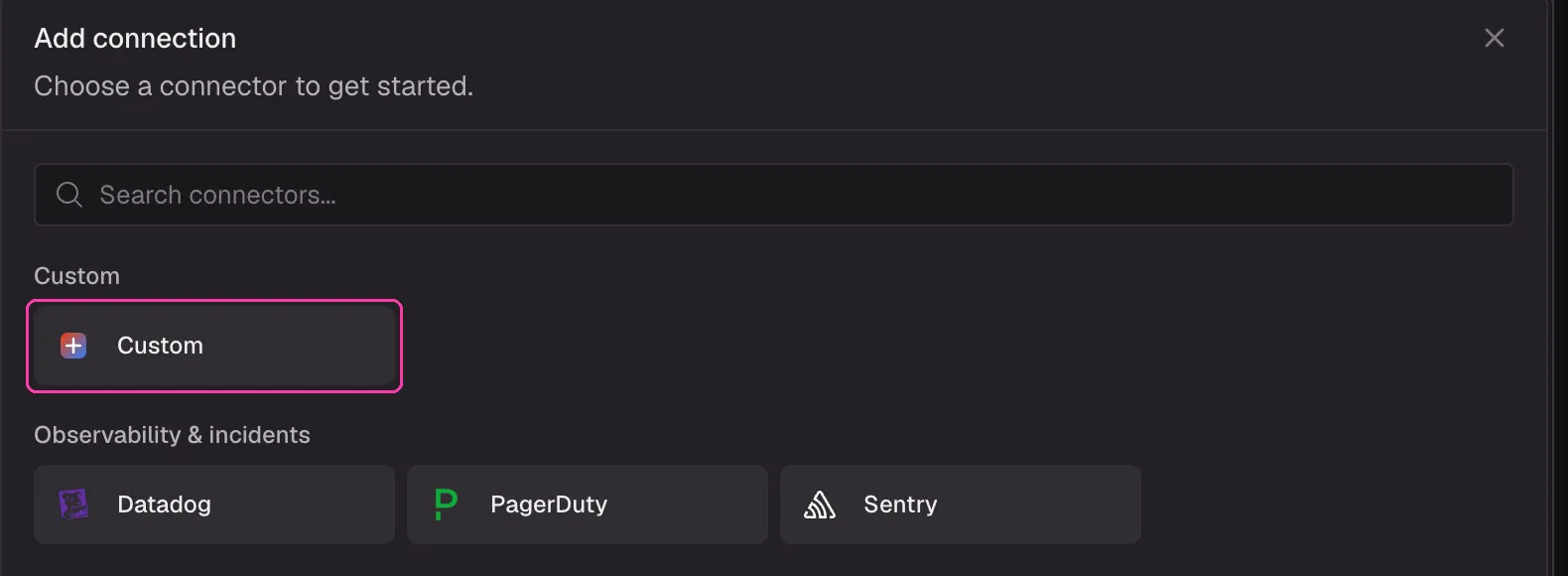
In CodeRabbit, click **Settings**, then **Connections**, then **Add connection**. Under **Custom**, choose **Custom**.
### 5. Configure the MCP connection
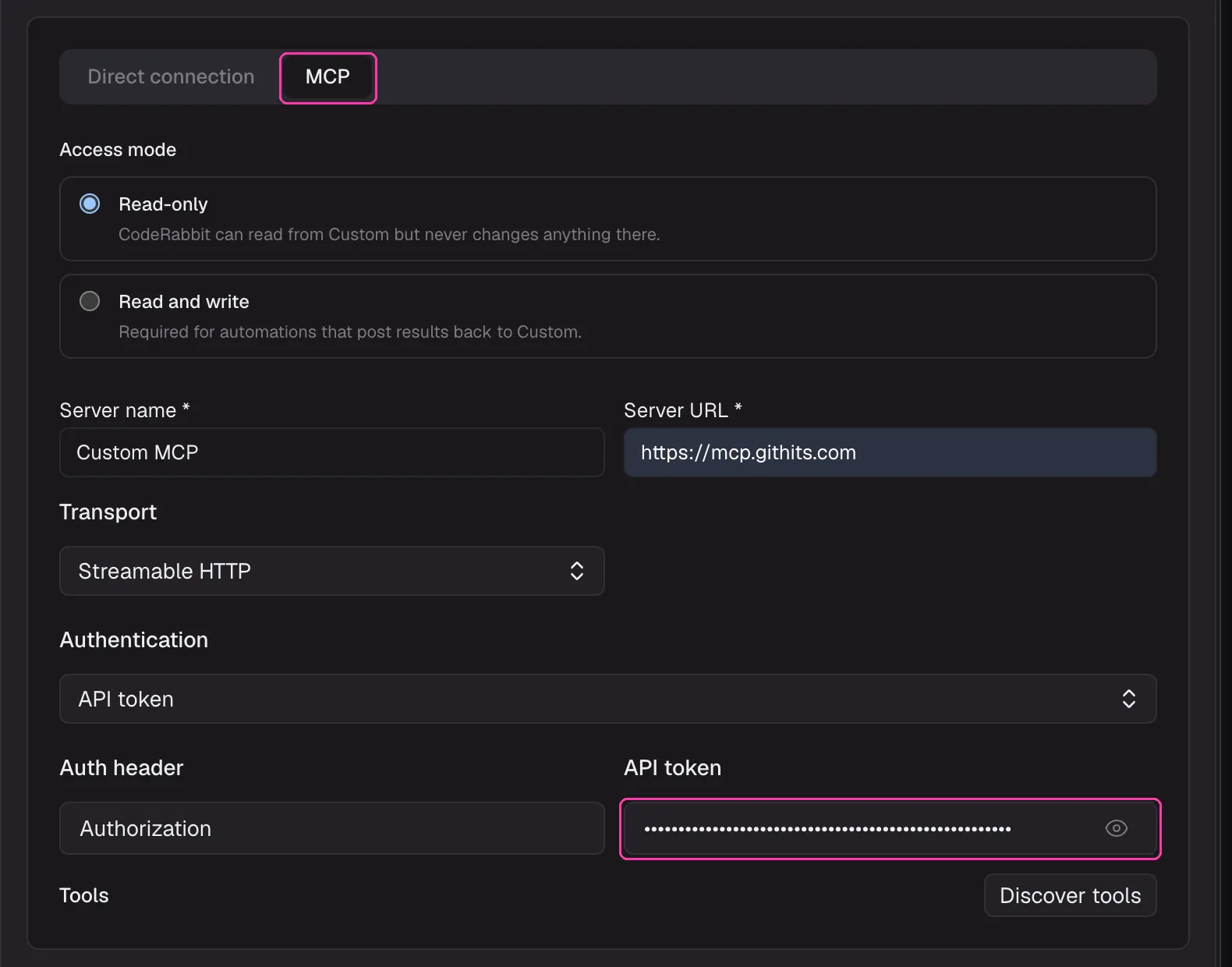
Select the **MCP** tab, not **Direct connection**. Then fill in the form:
| Field | Value |
| ------------------ | --------------------------- |
| **Access mode** | **Read-only** |
| **Server name** | `GitHits` |
| **Server URL** | `https://mcp.githits.com` |
| **Transport** | **Streamable HTTP** |
| **Authentication** | **API token** |
| **Auth header** | `Authorization` |
| **API token** | `Bearer YOUR_GITHITS_TOKEN` |
In **API token**, type the word `Bearer`, a space, and then your token. Without the `Bearer` prefix and space, the connection fails.
Click **Discover tools** to check the connection, then click **Save**. Leave **Add this to the Base Scope** unchecked if your organization has no Base Scope yet. You will add GitHits to one in the next step.
### 6. Add GitHits to the Base Scope
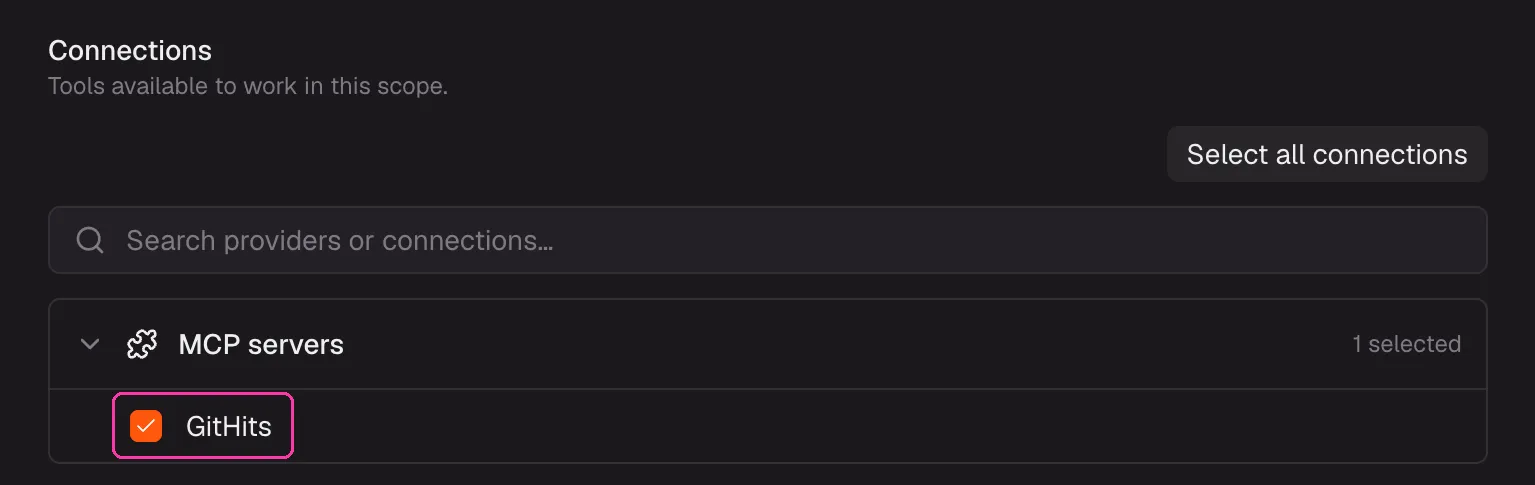
The Base Scope makes GitHits available to reviews by default.
Go to **Settings**, then **Scopes**, and click **Set up Base Scope**. Under **Connections**, check **GitHits** in **MCP servers**. Leave **Environment** set to **Standard CodeRabbit environment** and click **Save Base Scope**.
## Troubleshooting
* **Add this to the Base Scope shows an error.** No Base Scope exists yet. Save the connection without it, then follow step 6.
* **Discover tools fails.** Check that the token starts with `Bearer` and a space. Use the eye icon to reveal the field.
* **It worked before and stopped.** The token may have expired. Create a new one in GitHits and update the connection.
* **GitHits is not used on a public repo.** CodeRabbit’s default MCP setting, `auto`, turns MCP off for public repositories. See the `.coderabbit.yaml` example below.
## Examples
CodeRabbit calls connected MCP tools on its own during reviews and in PR chat. Tools it used during a review are listed under “Additional context used” in the walkthrough. You can also ask for GitHits context directly by mentioning `@coderabbitai` in a PR comment.
**Check how a library API behaves**
> @coderabbitai Use GitHits to check how pRetry in p-retry handles AbortError in the version this PR installs. Does our error handling match the source?
**Review a dependency upgrade**
> @coderabbitai Use GitHits to review the upgrade from express 4.21.2 to 5.1.0. Summarize breaking changes from the changelog and any known vulnerabilities.
**Vet a new dependency**
> @coderabbitai This PR adds drizzle-orm. Use GitHits to check its license, runtime dependencies, and known vulnerabilities.
**Compare against how other projects do it**
> @coderabbitai Use GitHits to find how other open-source projects configure Hono middleware for auth, and tell me if our approach differs.
**Ask for GitHits checks on every review**
Path instructions in `.coderabbit.yaml` tell CodeRabbit what to focus on for matching files. Point them at your dependency manifests:
```yaml
reviews:
path_instructions:
- path: "**/package.json"
instructions: |
When dependencies are added or upgraded, use GitHits to check the
changelog between versions, known vulnerabilities, and license.
knowledge_base:
mcp:
usage: enabled
```
`usage: enabled` turns on MCP for all repositories, including public ones.
[Product](/blog/tag/product.md) · [Integrations](/blog/tag/integrations.md) · [CodeRabbit](/blog/tag/coderabbit.md)
Nathan Burg — Co-founder, CPO
Keep exploring
* [The Solution](/the-solution.md)
* [Documentation](https://docs.githits.com/)
* [Changelog](https://docs.githits.com/changelog/overview)
Get started
## GitHits in one command
Install GitHits or refresh an existing setup with the same command.
`npx -y githits@latest init`