[Canonical HTML page](https://githits.com/blog/code-discovery-not-code-search/)
[Back to blog](/blog.md)
November 4, 2026 · 5 min read
# Code discovery: how agents find and understand dependency code
Follow an agent checking a Python library's timeout and proxy settings to see how GitHits connects source lookup, research, and coding tools.
A coding agent investigating failed web requests needs to check the library that sends them. In this example, a Python service uses httpx version 0.28.1. The agent needs to find the library’s default timeout and check whether the service can still use an option called `proxies=` to send requests through an intermediary server.
httpx is a **dependency**: code maintained outside the application that the application uses. Reading the service’s own files tells the agent how it calls httpx. To check what those calls do, the agent also needs httpx’s implementation at version 0.28.1. It can inspect an installed copy or fetch the source. GitHits provides tools to find and read that source through a shared index.
We use **code discovery** to describe this work: finding the relevant project, locating its implementation, and understanding how it works. Search locates the code. Reading it and checking its version lets the agent decide what to change.
## Find the default timeout in the source
GitHits brings together source code, documentation, and package information from public open-source projects. Its lookup tools let an agent search for relevant material, match exact text, list files, and read sections of a file. A request can name a package version or a repository revision so the agent can inspect the code it intends to use.
Documentation stored alongside the code in a repository can be read at that same revision. Hosted documentation comes from the latest indexed content of the documentation website. Selecting a package version does not pin those website pages to that release, so an agent using an older library needs to check that the hosted guidance applies to it.
Here the agent already knows the name `DEFAULT_TIMEOUT_CONFIG`. It can look for that text with `grep`:
```bash
githits grep -F "DEFAULT_TIMEOUT_CONFIG" pypi:httpx@0.28.1 --corpus source
```
`pypi:httpx@0.28.1` means version 0.28.1 of httpx from PyPI, the Python package registry. `-F` asks for an exact text match, and `--corpus source` selects source code. In our November 3 lookup using GitHits CLI 0.38.1, the result included:
```text
Sources:
- github:encode/httpx@26d48e06 (source files)
[3] github:encode/httpx@26d48e06 httpx/_config.py
246: DEFAULT_TIMEOUT_CONFIG = Timeout(timeout=5.0)
```
GitHits resolved the package version to commit `26d48e06`, a recorded revision in the httpx repository. Line 246 sets the default timeout configuration to five seconds. The full result also lists 14 matching lines in `_api.py` and `_client.py`, where that setting is imported or used as a default.
Those matches give the agent somewhere to continue reading. The definition tells it the configured value; the code using the value explains when it applies. A reviewer can follow the [source link](https://github.com/encode/httpx/blob/26d48e0634e6ee9cdc0533996db289ce4b430177/httpx/_config.py#L246) to inspect the same revision.
We call these direct lookup operations **deterministic tools**. The caller specifies what to retrieve. Source lookups can stay tied to a particular commit, while a moving branch, a documentation website, or package metadata can change between requests.
## Ask GitHits to investigate a question
Checking the `proxies=` option requires several lookups. The agent needs to inspect the options accepted by `httpx.Client`, find the replacement, and separately check whether a newer release exists. GitHits’s `research` tool carries out that investigation and returns an explanation with references.
```bash
githits research pypi:httpx "Our app pins httpx 0.28.1 and still passes proxies= to httpx.Client. Is that argument still accepted in 0.28.1, what should we use instead, and is there a newer release on PyPI we should know about?"
```
Research found that `httpx.Client` accepts `proxy=`, which takes a proxy server’s address, and does not accept `proxies=` in version 0.28.1. It cited the [code that creates the client](https://github.com/encode/httpx/blob/26d48e0634e6ee9cdc0533996db289ce4b430177/httpx/_client.py#L594-L716). The PyPI metadata retrieved for that run listed 0.28.1 as the latest release.
The client definition belongs to a particular source revision. The latest-release answer describes the package metadata retrieved on November 3. Keeping those references with the answer lets the calling agent distinguish a fact about the installed version from release information it may need to refresh.
The agent can now update the proxy option, check the application’s proxy configuration, and test its requests.
## Connect the tools to your coding agent
Agents reach GitHits through three interfaces:
| Interface | How an agent uses it |
| ------------------------------ | -------------------------------------------------------------------------------------- |
| Command-line interface, or CLI | Runs commands such as the `grep` and `research` examples above in a terminal. |
| Model Context Protocol, or MCP | Calls GitHits tools through a standard connection supported by its coding application. |
| REST API | Sends web requests from a custom program or automated development workflow. |
Each provides access to GitHits capabilities. Command names and availability depend on the client and version. For example, [CodeRabbit can connect to GitHits](/blog/connect-githits-to-coderabbit.md) to inspect dependency source during code review.
**GitHits layers**
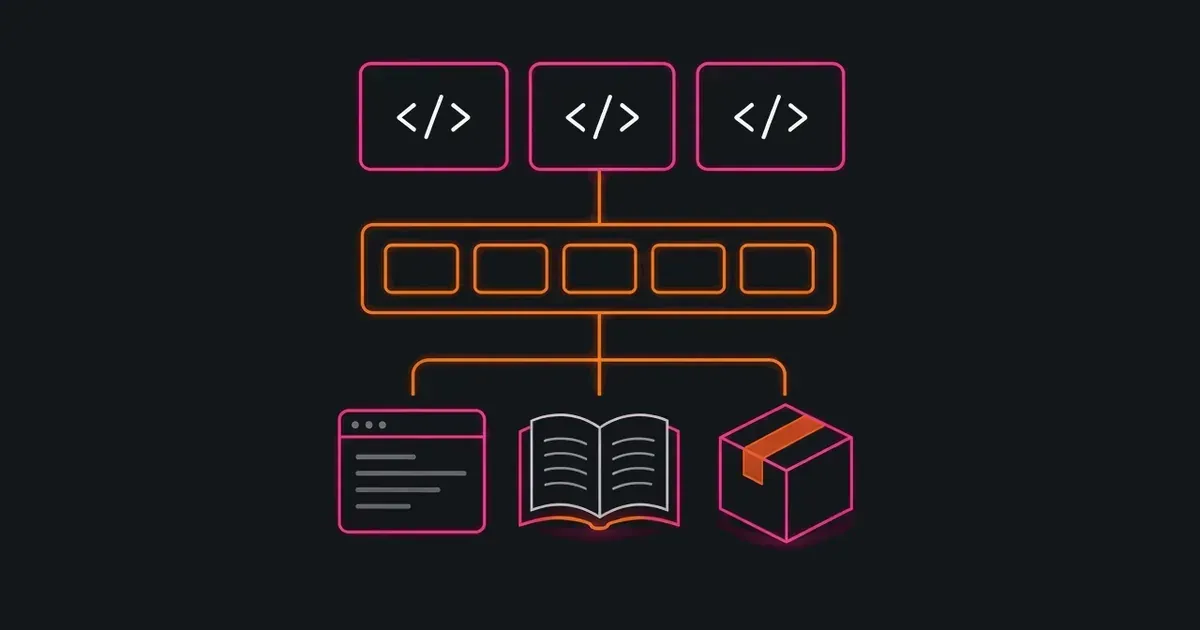
Your agents connect through MCP, CLI or API to GitHits research or directly to index tools. Code can be read at a selected version or revision. Repository documentation shares the code revision; hosted documentation uses the latest indexed pages. Package overviews report the latest release; dependency lookups can target a selected version.
Your agents connect through MCP, CLI, or API to search and read code, documentation, and package information.
In the same investigation, requests through the API and MCP returned the timeout definition at line 246 of `httpx/_config.py`, from commit `26d48e06`. The interface changed how the agent requested the code. The source revision it inspected stayed the same.
GitHits works with public open-source projects. The coding agent uses its local tools for the application’s own workspace and private code. Together, those sources let it follow a question from an application call into the dependency that implements it.
To connect a supported coding tool, run `npx -y githits@latest init` and follow the [setup guide](https://docs.githits.com/installation/automatic-setup). For a custom integration, the [API quickstart](https://docs.githits.com/api/quickstart) shows how to make a request. The REST API is available for evaluation, and its v1 contract is still being finalized.
[Product](/blog/tag/product.md) · [Agents](/blog/tag/agents.md) · [Code Navigation](/blog/tag/code-navigation.md)
Nathan Burg — Co-founder, CPO
Keep exploring
* [The Solution](/the-solution.md)
* [Documentation](https://docs.githits.com/)
* [Changelog](https://docs.githits.com/changelog/overview)
Get started
## GitHits in one command
Install GitHits or refresh an existing setup with the same command.
`npx -y githits@latest init`
Or connect directly
* [Claude connector](https://claude.ai/directory/githits)
* [ChatGPT plugin](https://chatgpt.com/plugins/plugin_asdk_app_6ae059be511481918e3573fb5885dbb8)
* [Cursor plugin](https://cursor.com/marketplace/githits)
- [Vercel connector](https://vercel.com/connect/githits)
- [Manus connector](https://manus.im/app#connectors/all/connector_8387945e-9687-4a71-86b4-8a220dbd5b6b)